Reviewing Non-Standard Reasonable Accommodations Applications
Below are the steps required to review and respond to a non-standard reasonable accommodation application (NSRA) request sent to:
1. The schools nominated DUTL/DPTL.
2. The student listed Tutor on the My.tcd.ie (SITS) portal.
1. Email received to the DUTL/DPTL TCD inbox in Outlook
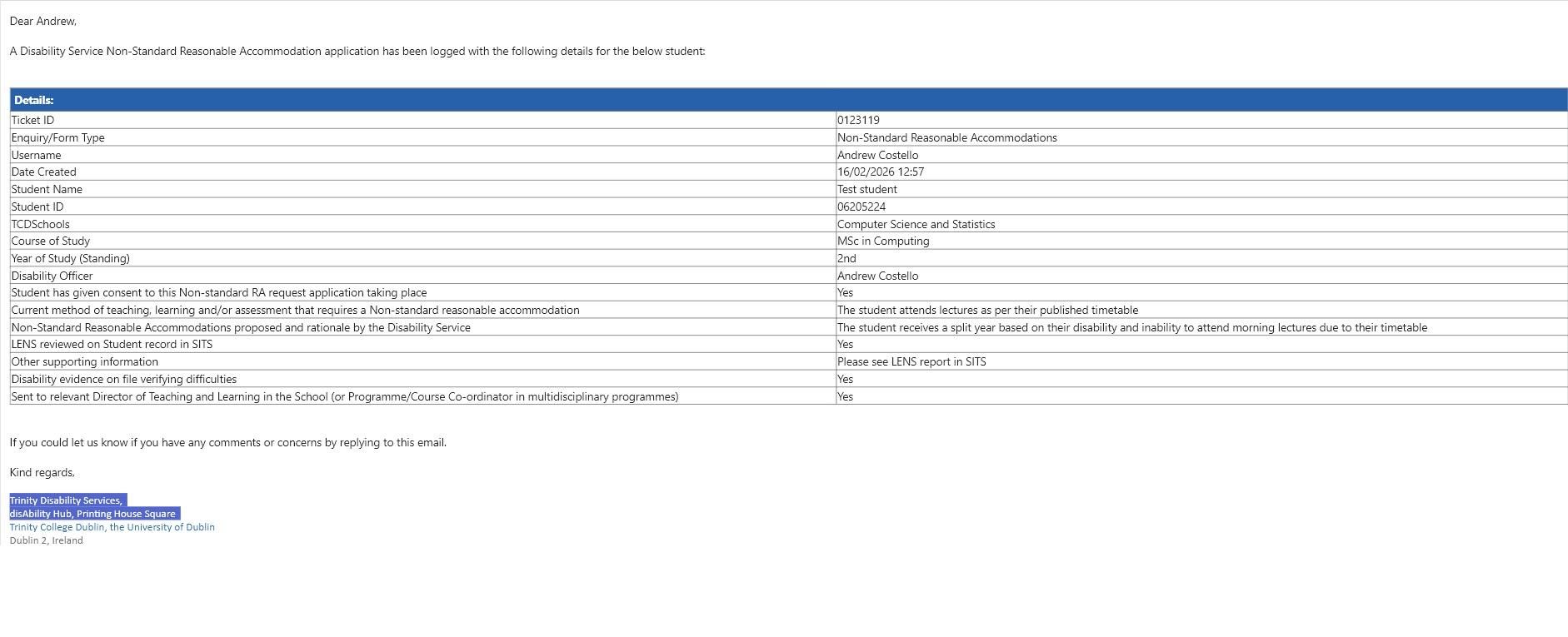
You will receive an email in your TCD inbox which will state :
- The student's name/course/year of study
- The current method of teaching, learning and/or assessment requires a Non-standard reasonable accommodation.
- Non-Standard Reasonable Accommodations proposed and rationale by the Disability Service
- Verification that there is evidence on file for this student that is in line with the application.
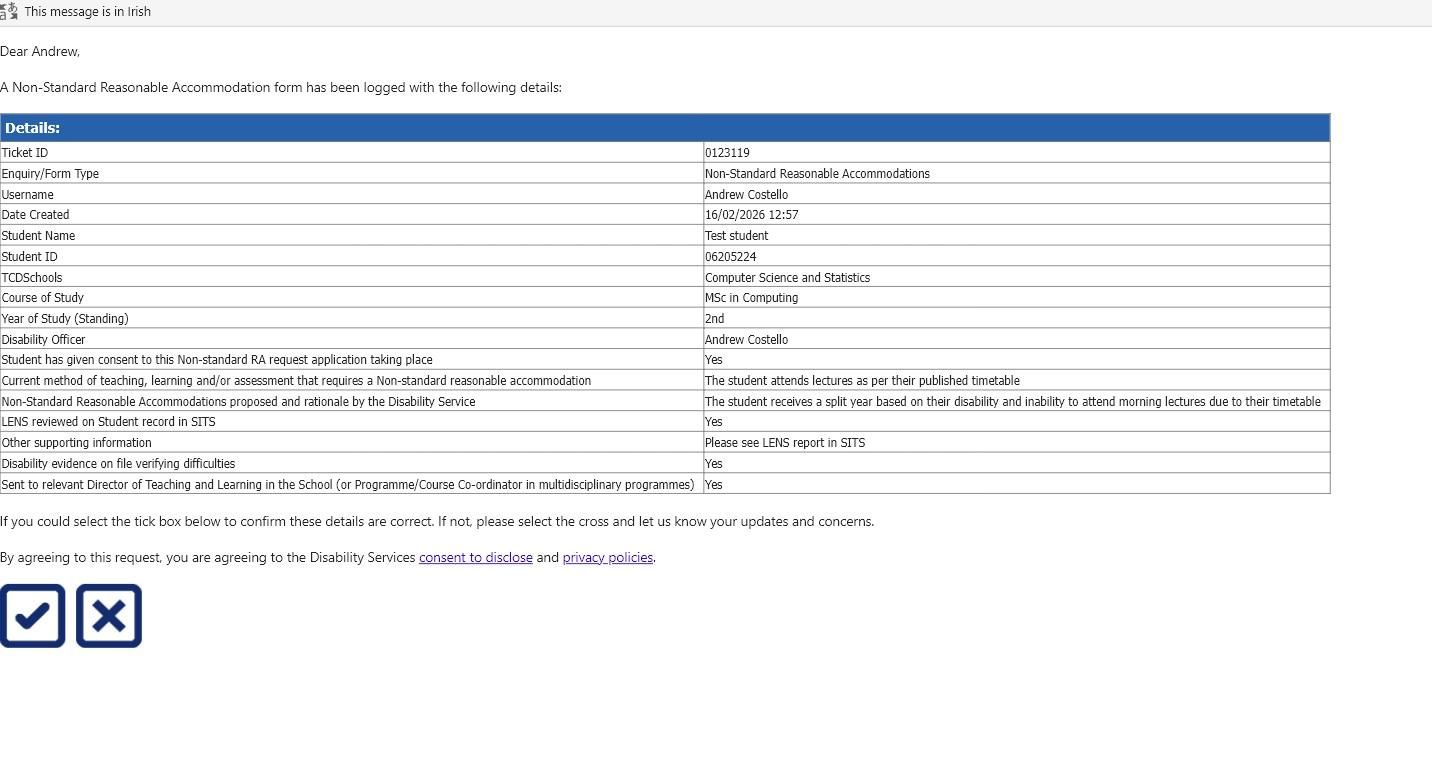
2. Approving or Declining the Application
Once you have reviewed the request, you can approve or reject the application by clicking on the tick or X symbols -
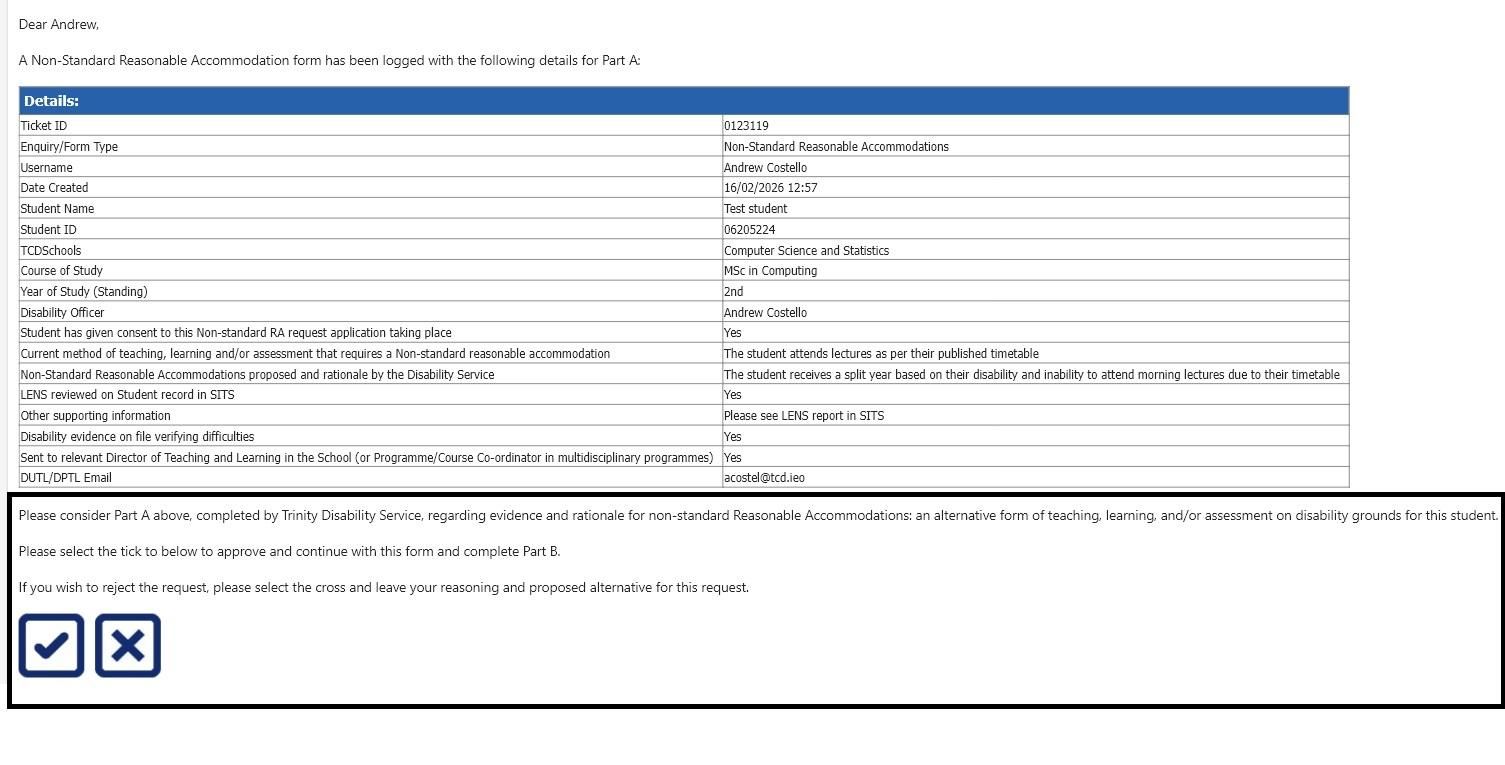
3. Providing a rationale for your decision
After approving or rejecting the application, the DUTL/DPTL will be presented with a page to provide comments on their reasoning for approving or declining the application.
Please complete all sections and click the submit button
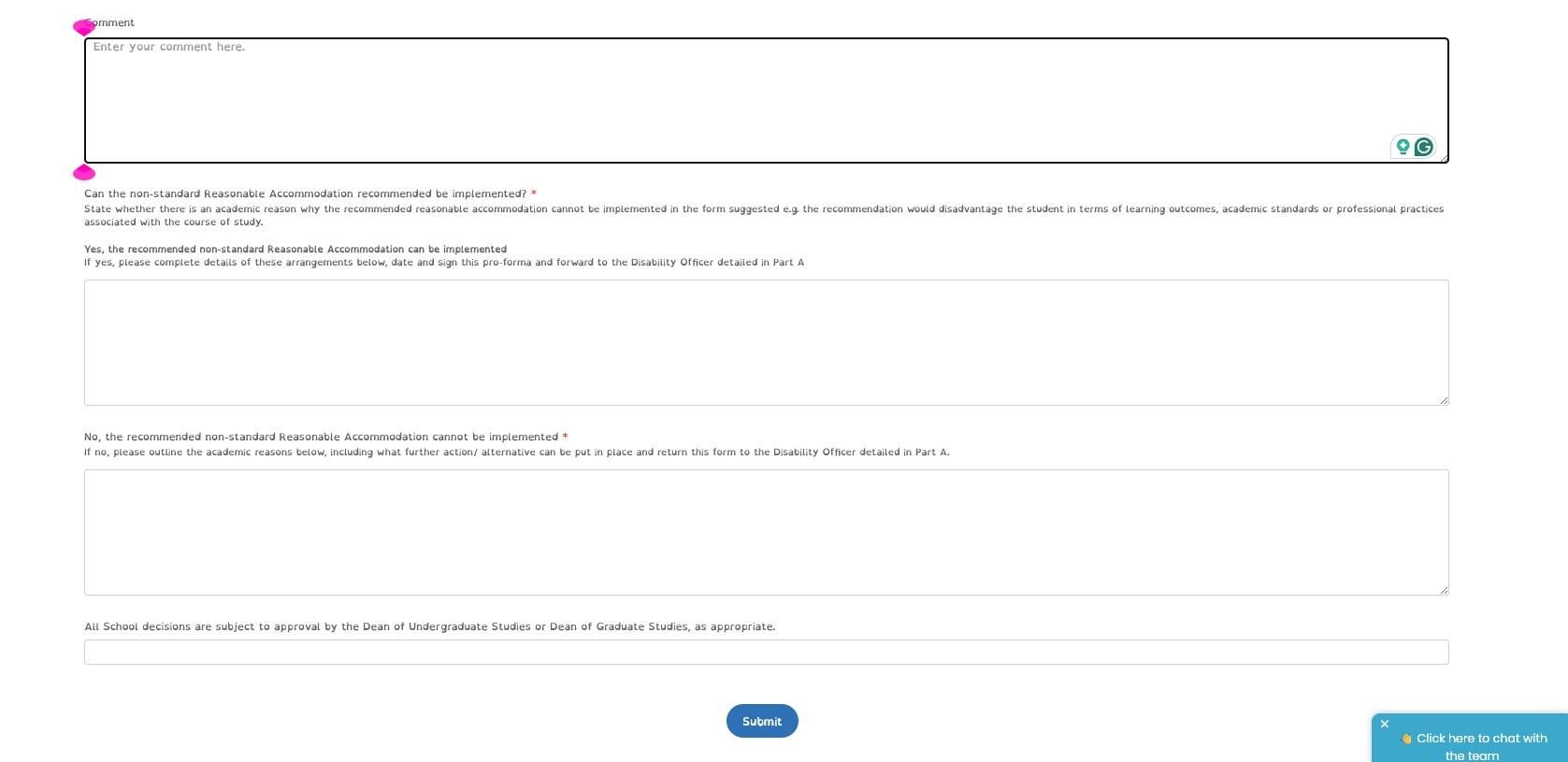
4. Next Steps
Your reply will be forwarded to the assigned Disability officer via the HALO CRM, and from this, the application will be forwarded to the Student Cases team in the Academic Registry for review and consultation with the Senior Lecturer for the final decision regarding the request.
The student cases team will then provide an update on the application, both to the Disability Officer and the DUTL/DPTL.
Tutor Notification
The students assigned Tutor from their record on the my.tcd.ie portal can be sent the non-reasonable accommodation request for review if required. The tutor will receive an email to their TCD inbox stating:
- The student's name/number and course
- The current method of teaching or assessment
- The rationale for the application for a non-standard reasonable application
Although not required for the application to proceed to the school's DULT or DPTL for approval or rejection, the Tutor has the ability to reply to the email with comments on the application that will form part of the review by the senior lecturer