
/filters:format(webp)/filters:quality(100)/prod01/channel_3/media/tcd/itservices/images/news/sharepoint-tips-search.png)
Here are a few options:
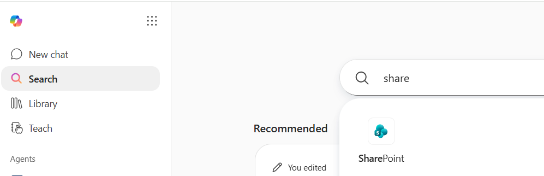
- Log into office.tcd.ie and click on the Search menu on the left-hand side, then start typing SharePoint in the search box and the app will appear.
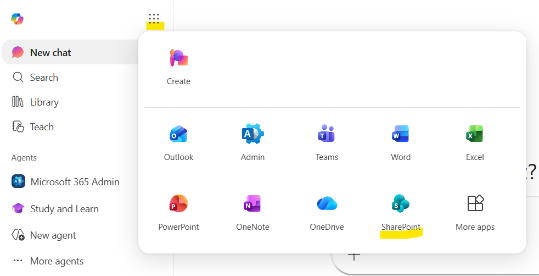
- On the same Microsoft 365 landing page (office.tcd.ie), click on the app launcher, or the “waffle icon” at on the top of the left hand side menu.
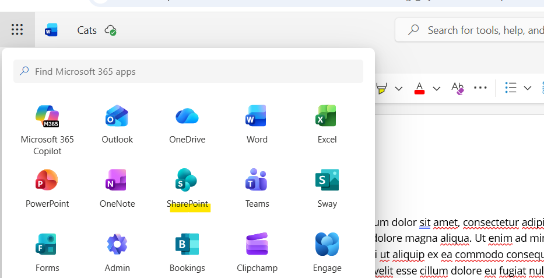
- The app launcher (waffle icon), is also available in other Microsoft 365 apps, such as Word, Excel, and PowerPoint, on the top left-hand side of the online version of the app, so you can quickly access SharePoint from here too!
- That's it!
Hope our SharePoint tips and tricks gave you some new ideas! If not, you are probably already a SharePoint expert!