
Creating a Manual Column
Adding a Calculation Column for Offline/Manual Assignments
Two views are available, using the toggle at the top of the gradebook:
- Grid view (Marks): a table of students and grades.
- List view (Markable Items): every markable item in your module.
Click on the List view (Markable Items).
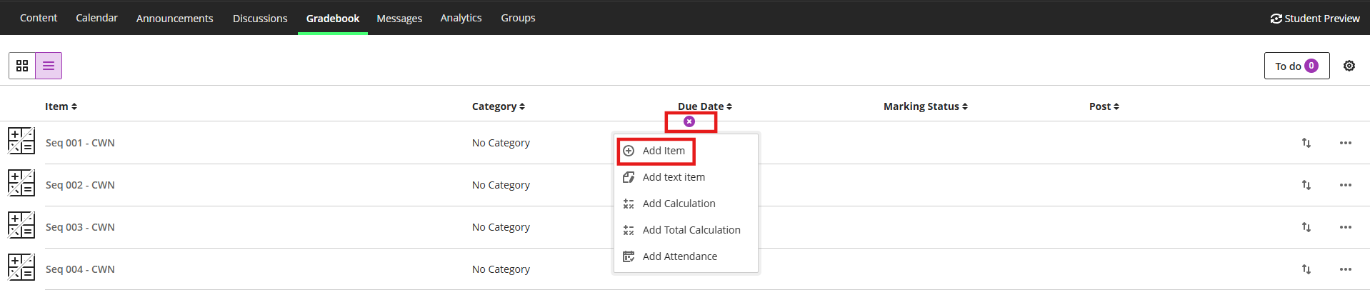
Hover over a line between two gradable items and click on the "+" that appears.
Select Add Item.
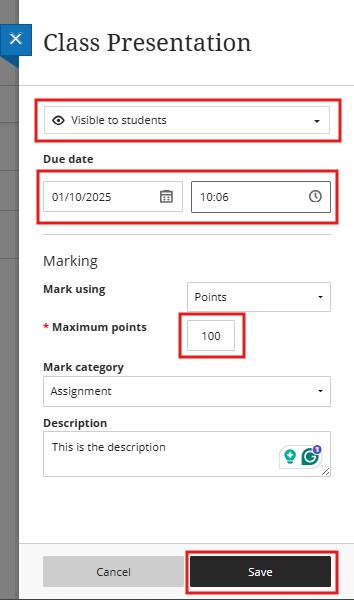
- Enter a descriptive name for the column.
- Choose whether the item is Visible to students.
- Select a mark schema from the dropdown menu.
- To use Grades Journey, the maximum points need to be 100.
- Select the correct Mark Category.
- Add a description.
- Click Save.
Click on the other Tab to view your Manual Column.
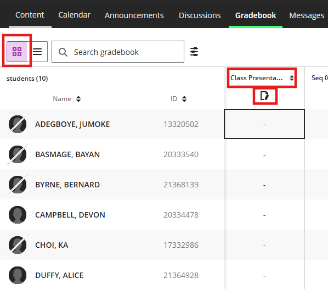
When you click on the icon below the assignment name, the following screen opens a menu with these options:
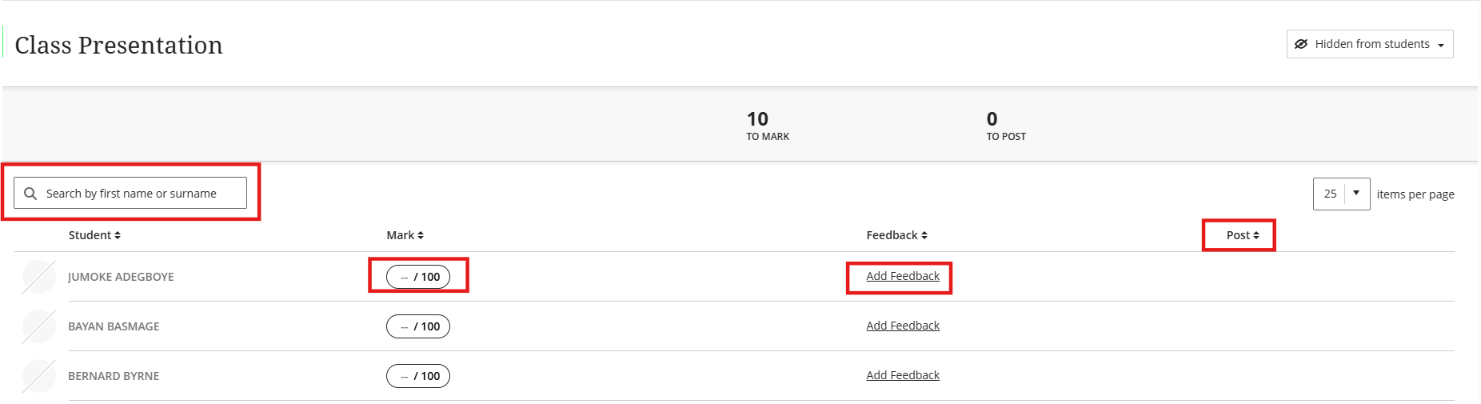
- Search - Search by student first name or surname
- View - All the students are listed, so you can start marking.
- Feedback - You can add Feedback for each student here
- Post (Release to Students) - Post a mark that has been assigned but not yet released to students.