View Graded Item Statistics
To gain insight about a student's overall performance on graded content, select a column in the gradebook to access summary statistics for any graded item.
Under the Marks view in the Gradebook page, click on the Assessment icon, and click Statistics.
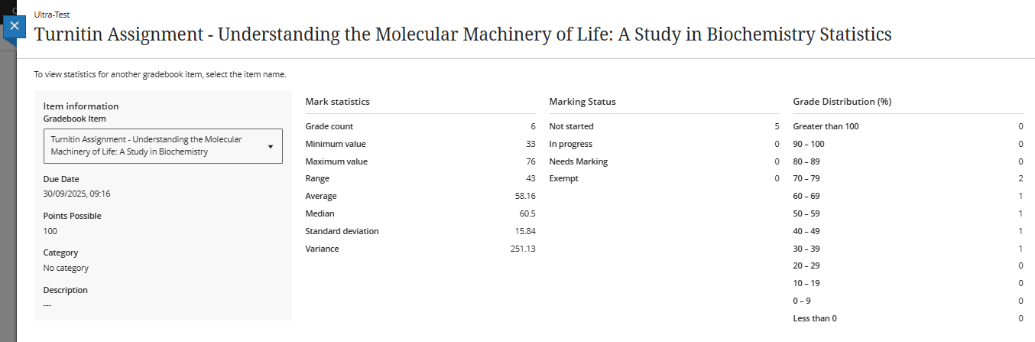
The statistics page displays key metrics such as:
- Minimum and maximum value
- Range
- Average
- Median
- Standard deviation
- Variance